How to use Roblox MCP with Google Antigravity.
Antigravity is Google’s agent-based development platform where AI agents autonomously perform complex tasks spanning code editing, the terminal, and the browser.
Prerequisites
- Antigravity installed (see the official docs for supported OS and requirements)
- Node.js (v18.0.0 or higher, with
npxavailable) - Roblox Studio plugin installation complete
Registering the MCP Server
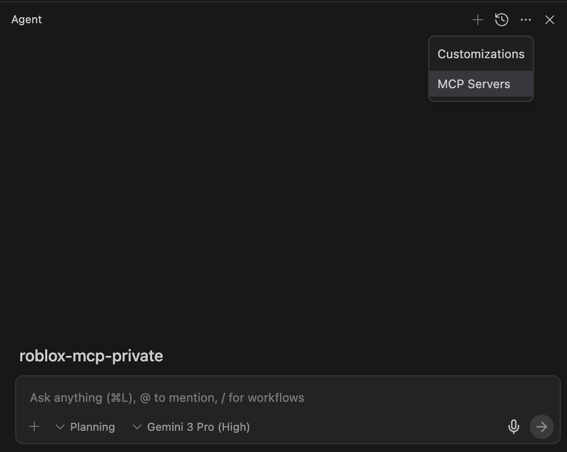
In Antigravity, MCP servers are managed from the Agent pane.
Manual Registration via Raw Config (Recommended)
- In the Agent pane, click ⋯ → MCP Servers → Manage MCP Servers → View raw config
- Add/merge the following into the displayed JSON config:
{
  "mcpServers": {
    "weppy-roblox-mcp": {
      "command": "npx",
      "args": ["-y", "@weppy/roblox-mcp"]
    }
  }
}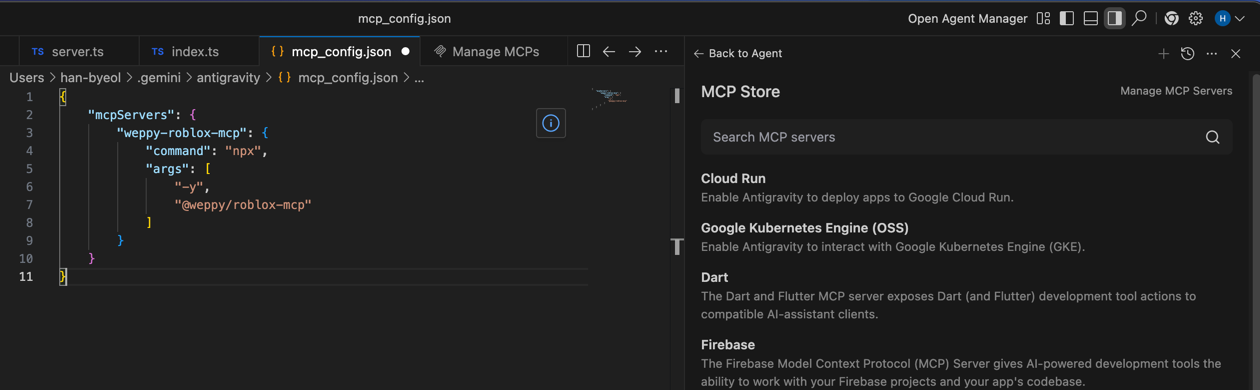
- Save and Refresh (or restart/reload as indicated by the UI)
The actual path and filename of the config file may vary by OS and Antigravity version — always modify the location shown in View raw config.
Optional: Adjust Port/Log via Environment Variables
Keeping the default (HTTP 127.0.0.1:3002) is recommended. If needed, you can set environment variables like this:
{
  "mcpServers": {
    "weppy-roblox-mcp": {
      "command": "npx",
      "args": ["-y", "@weppy/roblox-mcp"],
      "env": {
        "HTTP_HOST": "127.0.0.1",
        "HTTP_PORT": "3002",
        "LOG_LEVEL": "INFO"
      }
    }
  }
}
Connection Test
- Launch Roblox Studio → Plugins tab → WEPPY → Connect
- Enter the following in Antigravity:
Tell me what is currently selected in Roblox Studio
Troubleshooting
Server Won’t Start
Run the MCP server directly to see the error:
npx -y @weppy/roblox-mcpConnection Fails
- Confirm the Roblox Studio plugin shows Connected status
- Check that port 3002 is not blocked by a firewall
- Check server status via ⋯ → MCP Servers in the Agent pane
- (Advanced) If you changed
HTTP_PORT, make sure the Roblox Studio plugin and bridge settings also use the same port.